




TabooTube: Complete Guide to Understanding the Platform, Safety, and Privacy
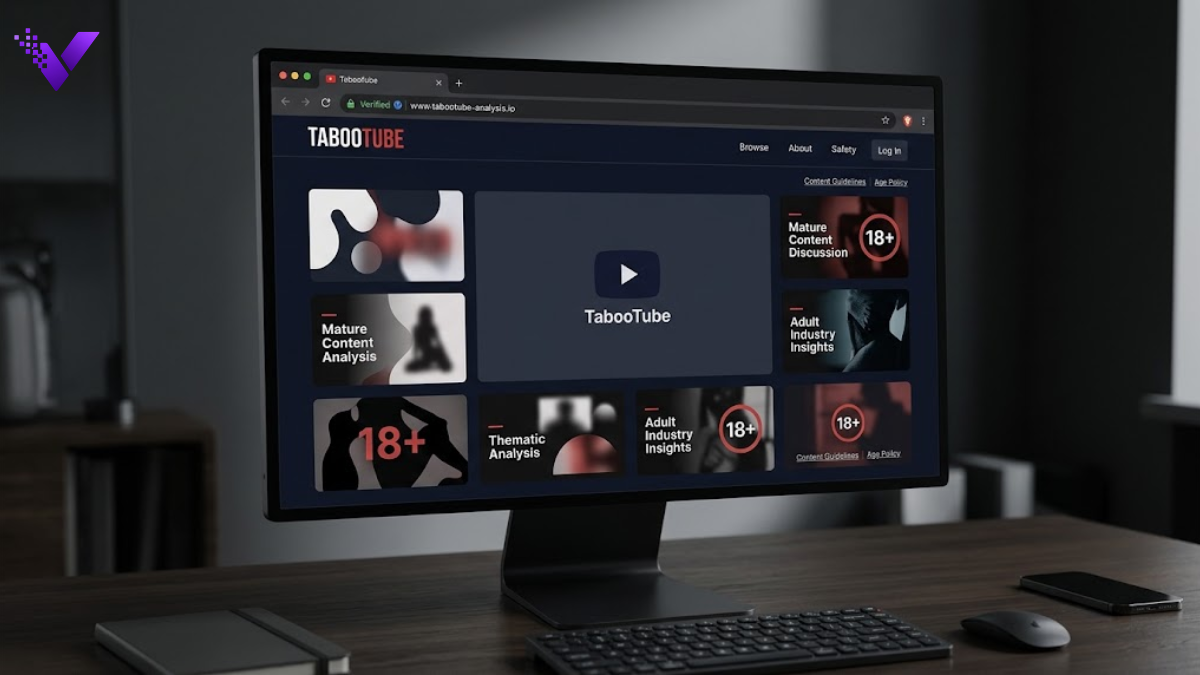
TabooTube is a name associated with video websites outside the mainstream streaming ecosystem. The important detail in 2026 is that the name does not appear to represent one clearly unified service.
The exact tabootube.com domain is currently reported as redirecting to an adult-oriented website, while dozens of other domains use similar wording for different purposes. Some present themselves as alternative-video services. Others are informational sites rather than actual streaming platforms.
That distinction matters for anyone researching the platform, checking its legitimacy, considering an account, or simply trying to understand what appeared in search results. The domain matters more than the brand name.
What Is TabooTube?
TabooTube broadly refers to websites using this name or close variations for niche, unconventional, or adult-oriented video content.
There is no reliable evidence that every site carrying the label belongs to the same operator. In fact, a current reverse-domain search identifies dozens of domain names containing the term, while different sites make substantially different claims about their purpose.
A practical way to understand the ecosystem is:
Search result → Exact domain → Redirect check → Operator verification → Content type → Privacy review → Access decision
For example, the exact .com domain was registered in May 2006 and is currently reported as redirecting to an adult-content website. By contrast, tabootube.com.au explicitly describes itself as an informational website that does not host or stream videos.
The name alone therefore tells you very little about the website you are actually visiting.
Why Is TabooTube Important?
Understanding TabooTube matters because unfamiliar or fragmented streaming brands create issues that established platforms make easier to evaluate.
- Domain identity: A familiar-looking brand can appear across unrelated websites with different owners.
- Adult-content exposure: Certain versions or destinations contain material intended only for adults.
- Data sensitivity: Viewing habits on mature-content websites can represent particularly sensitive browsing information.
- Content governance: Smaller services may provide less visible information about consent verification, copyright removal, moderation, or complaints.
- Billing exposure: Subscription terms and merchant names require extra attention on unfamiliar services.
- Malvertising risk: Streaming pages can rely on external advertising networks that operate independently from the primary site.
- Regulatory pressure: Governments are increasingly requiring stronger age-assurance systems for access to adult-restricted material.
Quick Reference Matrix
| Core Element | Action / What it Involves | Primary Goal / Output |
| Domain identity | Inspect the full hostname | Confirm which service opened |
| Redirect behavior | Watch address-bar changes | Detect destination changes |
| Ownership | Check legal and contact information | Establish accountability |
| Encryption | Confirm valid HTTPS | Protect data in transit |
| Privacy | Review tracking and retention terms | Understand data exposure |
| Age controls | Examine access restrictions | Protect underage users |
| Moderation | Find reporting and removal mechanisms | Assess governance |
| Billing | Read renewal and cancellation language | Prevent payment disputes |
| Downloads | Verify file type and source | Reduce malware exposure |
| Advertising | Separate player controls from promotions | Avoid deceptive clicks |
How to Evaluate the Platform Step by Step
1. Identify the Exact Hostname
Never assess a streaming website from its page logo alone.
Look at the address between https:// and the first /. That section identifies the actual hostname controlling the page.
For example:
- Read the complete domain.
- Check for extra letters or unusual extensions.
- Refresh once and watch whether the hostname changes.
- Compare the original address with the final destination.
- Treat any unexpected redirect as a new website requiring a separate review.
This is particularly relevant here because the .com address has been reported as leading to a different adult-oriented domain.
2. Establish Who Operates the Website
A legitimate web service should provide enough information for users to understand who handles their data and complaints.
Look for pages covering:
| Document | What You Need to Find |
| Privacy policy | Data controller and collection practices |
| Terms | User obligations and service rules |
| Contact page | Genuine support channel |
| Copyright policy | Removal procedure |
| Content rules | Prohibited uploads |
| Billing terms | Renewal and cancellation conditions |
Domain privacy by itself does not prove misconduct. Many legitimate owners conceal public WHOIS contact information to reduce spam.
It does, however, make clear on-site corporate information more valuable. Current reputation data for the .com domain shows the registrant using a privacy service.
3. Test Browser Behavior Before Interacting
Modern browsers provide useful warning signals.
Leave the page when you encounter:
- A certificate or privacy warning.
- Automatic file downloads.
- Repeated new tabs.
- Requests to install a special video player.
- Browser-extension installation prompts.
- Fake operating-system alerts.
- Requests to disable security software.
The FTC specifically warns that malicious advertisements can lead users toward cloned websites or malware downloads, and recommends keeping browsers, operating systems, and security software updated.
A working padlock only tells you that the connection is encrypted. It does not certify the website’s business practices.
4. Measure the Personal Data You Would Expose
Passive viewing and account creation have different privacy profiles.
Before registering, determine exactly what information the service wants.
A reasonable sequence is:
- Check whether registration is actually required.
- Identify mandatory fields.
- Look for account-deletion instructions.
- Read whether behavioral information is shared with advertisers.
- Check cookie and analytics disclosures.
- Avoid reusing credentials from important accounts.
Use a unique password if you create an account on any unfamiliar service.
Private browsing offers only limited protection. Mozilla states that private or incognito mode can keep ordinary browsing history from remaining on the local device, but websites, employers, schools, or internet providers may still observe aspects of the connection.
5. Examine Age and Content Governance
For adult-oriented platforms, technical security is only one part of responsible operation.
Look for evidence covering:
| Governance Area | Stronger Signal |
| Minimum age | Explicit adult-only access rule |
| Age assurance | More than a simple unchecked statement where required |
| Reporting | Visible content-reporting system |
| Consent | Policies addressing unauthorized material |
| Copyright | Clear takedown procedure |
| Complaints | Human contact or escalation route |
| Removal | Process for affected individuals |
| Moderation | Published prohibited-content rules |
Age assurance is becoming more sophisticated worldwide.
The European Commission is developing a privacy-preserving system allowing people to prove they are over 18 without unnecessarily disclosing other personal information. Australia has also introduced age-assurance requirements affecting services that provide age-restricted material.
Adult material should only be accessed by people who meet the applicable age requirement in their jurisdiction.
6. Evaluate Payments Separately From Viewing
Payment creates a new trust relationship.
Before entering card details, record:
- Exact price.
- Currency.
- Whether the charge repeats.
- Trial length.
- Renewal date.
- Cancellation method.
- Refund conditions.
- Merchant or billing descriptor.
A recognizable payment processor can provide useful context, but the processor does not automatically endorse every merchant using it.
Avoid irreversible payment methods when the operator, price, or cancellation procedure is unclear.
7. Treat Downloads as a Higher-Risk Activity
Watching a browser stream is technically different from downloading and executing files.
A video should not unexpectedly arrive as:
- .exe
- .msi
- .apk
- .dmg
- .bat
- .scr
Those are executable or installation formats rather than ordinary video formats.
The FTC recommends caution with unfamiliar sites offering free media downloads and advises keeping security software current.
Never disable antivirus protection because a streaming page says it is necessary.
Industry and Use-Case Specific Scenarios
For Journalists and Researchers
Researchers should capture the exact URL and observation date rather than writing about the brand as though every similarly named site were one entity.
Domain ownership, redirects, content categories, and technical configurations can change. Archived evidence is more defensible than screenshots with no date or hostname.
For Parents and Household Administrators
Adult-content controls work better at the device, account, browser, and network levels combined.
Modern parental-control systems can restrict mature websites without requiring younger users to independently identify every questionable domain.
The larger trend is toward age assurance rather than relying entirely on a self-entered birth date.
For Website Publishers
Publishers covering unfamiliar platforms should avoid presenting promotional claims as verified facts.
Descriptions such as “safe,” “official,” “private,” or “anonymous” require independent evidence. A site calling itself secure is not the same as a security audit confirming it.
For Cybersecurity Teams
Network administrators should focus on hostnames, redirect chains, download behavior, certificate status, and third-party requests rather than judging a URL only from its name.
Closely related domains can have completely different infrastructure and risk profiles.
For Adult Viewers
The strongest protection comes from minimizing unnecessary exposure.
Viewing does not require surrendering unrelated personal details simply because a website asks for them. Any request for identification, payment, notification permissions, or software installation deserves independent evaluation.
Established Platform vs Unverified or Fragmented Site
| Factor | Established Platform | Unverified / Fragmented Site |
| Corporate identity | Usually documented | May be difficult to establish |
| Policy history | Archived and updated | May be short or inconsistent |
| Security reporting | Formal process more common | Often unclear |
| Transparency reports | Sometimes published | Rare |
| Merchant identity | Generally predictable | May differ from public brand |
| Appeals system | Structured workflow | May rely on generic contact |
| Developer ecosystem | Documented APIs/apps | Unclear integrations |
| Account recovery | Mature infrastructure | May depend entirely on email |
| Public scrutiny | Extensive | Limited |
| Independent documentation | Easier to locate | Often dominated by secondary blogs |
The table does not mean every large service is trustworthy or every small site is unsafe. It shows why verification is easier when accountability structures are visible.
Common Mistakes & Best Practices
Common Mistakes to Avoid
- Assuming identical names mean identical ownership. Domain variations can belong to completely separate organizations.
- Trusting search-result descriptions as proof. Snippets can be outdated, automatically generated, or written by the website itself.
- Equating HTTPS with legitimacy. Encryption protects the connection, not the honesty of the operator.
- Accepting notification permissions casually. Browser notifications can continue after the tab is closed.
- Using a primary password. One compromised credential can expose unrelated accounts when passwords are reused.
- Entering payment details before reading renewal language. A low introductory price can still lead to recurring charges.
- Installing a “required codec.” Normal modern video playback should not depend on an unknown executable downloaded from an advertisement.
How to Maximize Efficiency / Best Practices
- Use a separate browser profile when assessing unfamiliar streaming domains professionally.
- Disable automatic download opening so unexpected files cannot launch immediately.
- Use a password manager to generate site-specific credentials.
- Check domain history from more than one source when ownership matters.
- Record screenshots of subscription terms before paying for unfamiliar services.
- Inspect the final destination URL after advertising or affiliate links open.
- Use browser-level tracking protection when supported.
- Remove unnecessary permissions such as notifications, location, camera, and microphone.
- Report non-consensual or unlawful material through appropriate platform and legal channels rather than redistributing it.
Future and Modern Trends
The adult-platform sector is moving toward privacy-preserving age assurance.
Europe’s developing approach is designed to let a user prove they meet an age threshold without necessarily exposing their complete identity to every website. Australia already has age-restricted-material rules covering several categories of online services.
Regulatory scrutiny is also shifting from simple warning screens toward whether services actually prevent minors from reaching restricted content. In March 2026, the European Commission issued preliminary findings against several major adult platforms under the Digital Services Act concerning protection of minors. Those findings remained part of an enforcement process rather than a final judicial determination.
Synthetic sexual media and deepfakes create another moderation problem. Platforms increasingly need stronger provenance, consent, reporting, and rapid-removal systems rather than relying only on traditional copyright procedures.
Domain fragmentation will matter too. When a brand exists across numerous extensions and look-alike addresses, technical identity signals become more important than logos or page design.
Payment transparency is likely to receive similar attention. Clear subscription periods, billing descriptors, cancellations, and refund mechanisms are becoming part of basic platform trust.
Practical Checklist
Before trusting TabooTube or any similarly branded site, confirm:
- I know the complete hostname currently open.
- The address did not silently move to an unexpected domain.
- The browser shows no certificate or security warning.
- I can identify a usable legal or support contact.
- The site’s privacy document has a recent revision date.
- I understand what cookies or analytics may be used.
- No unexpected software installation is required.
- Notification access is disabled unless genuinely needed.
- Adult access controls are consistent with applicable rules.
- A reporting or removal process is visible.
- Any subscription price clearly states its renewal schedule.
- The cancellation method is documented before purchase.
- Downloads use expected media formats rather than executables.
- I am not reusing a password from another account.
- Claims about security come from more than the site’s own marketing.
Final Thoughts
The safest way to understand TabooTube is to treat the name as a search term or brand label rather than an automatic trust signal. Current evidence shows a fragmented web presence, including an established .com domain associated with adult content and other similarly named properties serving different purposes.
Check the exact address first. Then evaluate ownership, privacy, moderation, age controls, downloads, and billing independently. That approach remains useful even when domains, operators, or platform features change.
Frequently Asked Questions – FAQs
Is TabooTube safe to use?
There is no universal safety rating that applies to every site using the name. Safety depends on the exact hostname, redirects, advertising partners, data practices, downloads, and actions taken by the visitor.
Third-party reputation services currently provide mixed assessments across different similarly named domains, which reinforces the need to evaluate each address independently.
Does incognito mode make adult browsing anonymous?
No. Private browsing mainly limits what is retained in the browser after the session.
Websites and network providers can still receive connection information, and downloads or bookmarks can remain on the device. Mozilla explicitly warns that private browsing does not make someone anonymous online.
Does the HTTPS padlock mean a website is legitimate?
No. HTTPS means traffic between your browser and that hostname is encrypted.
A deceptive or poorly operated website can still obtain a valid TLS certificate. Business identity, privacy practices, and reputation require separate checks.
Does an 18+ warning prove all uploaded content is legal?
No. An age screen concerns viewer access, not the legal status, consent history, ownership, or provenance of every uploaded file.
Responsible platforms need independent systems for moderation, reporting, copyright complaints, and removal requests.
Are third-party video downloaders officially connected to the platform?
Not automatically. A website can place another brand’s name in its domain, page title, or marketing without having any official relationship.
Treat every downloader as an independent service and evaluate its domain, permissions, file types, and privacy policy separately.
What should I do if clicking Play opens another website?
Close the unexpected tab without entering personal information or downloading anything.
Repeated redirects or fake player controls are reasonable grounds to leave the original site, especially when the destination asks for software installation, payment, or browser permissions.
What should I do after noticing an unfamiliar subscription charge?
Save receipts, screenshots, confirmation emails, and the billing descriptor first.
Then contact the merchant using a verified support route and contact your card issuer or payment provider promptly if you cannot identify or resolve the transaction.